Overtime
Work out a week's overtime hours and pay against daily and weekly limits.
Try the calculatorFor rail and infrastructure
Assurance, testing and advisory work on rail and infrastructure runs for years, in phases, with people on site as often as at a desk. ReliTime was built inside a rail assurance consultancy to keep that work's time records straight and bill it properly.
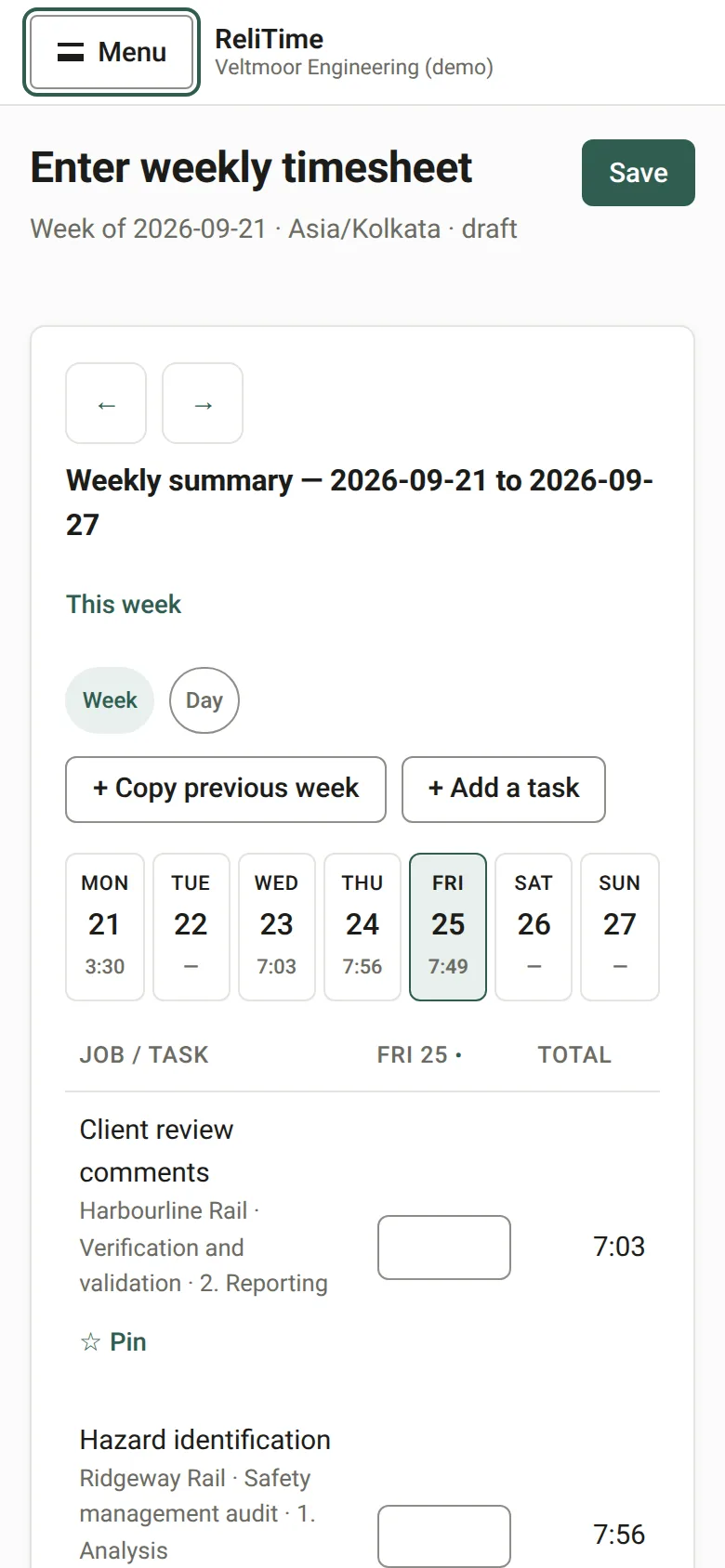
On a phone the week shows one day at a time. Nothing is saved until Save is pressed, so a figure typed and corrected on a platform never becomes two entries on the record.
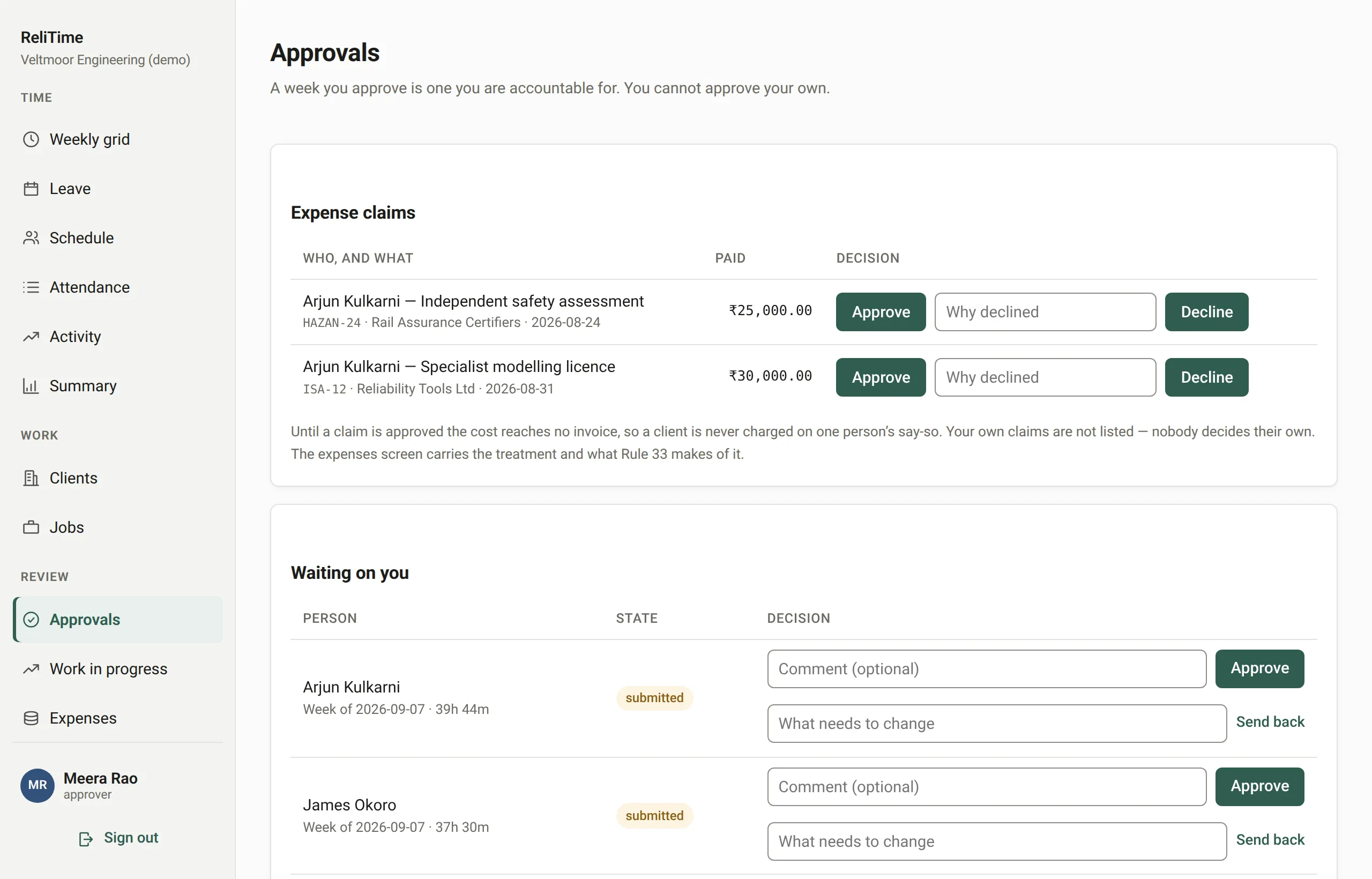
Assurance work is judged on its evidence, and so is a timesheet. Every correction supersedes the entry before it with a reason and a name, approved weeks lock, and the database itself refuses to delete a time entry. Every change of state is in the audit log.
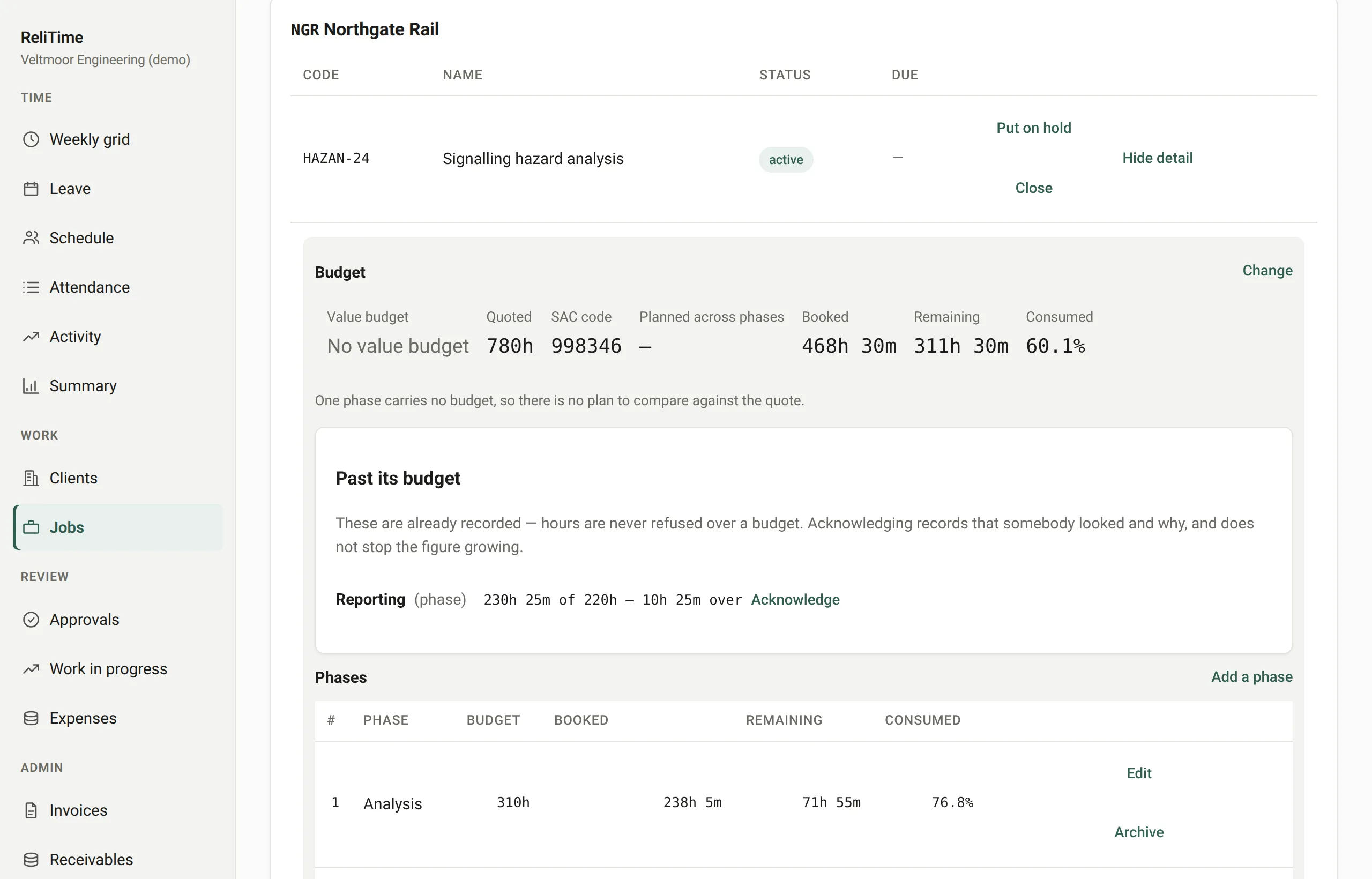
Split a programme into the phases it is contracted in, budget each one, and see hours to date against the plan for the life of the job rather than week by week. Rates change on a date, so a contract running for years keeps each year's rate on each year's work.
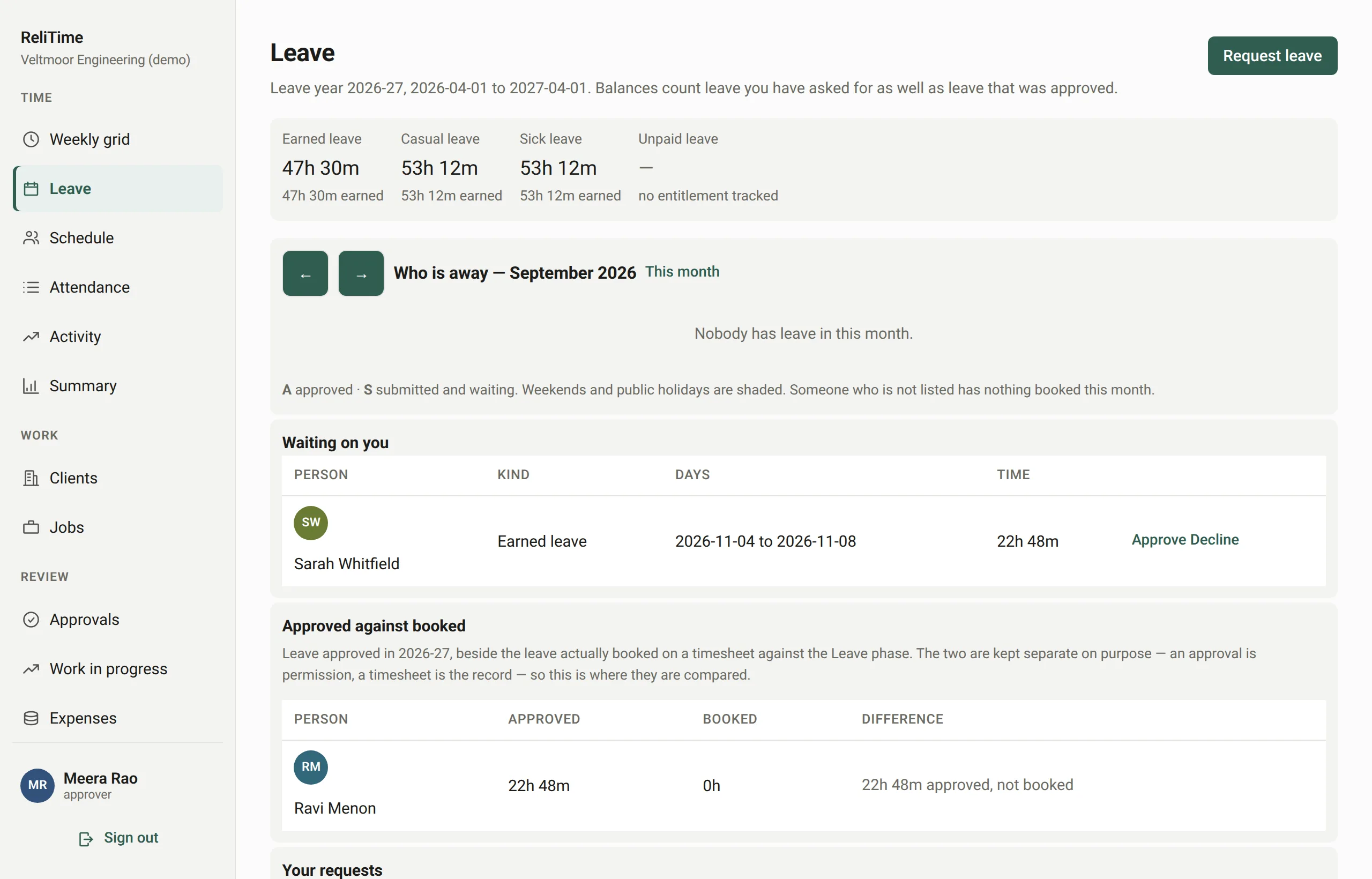
Leave is requested and approved beside timesheets, public holidays are kept per organisation, and a schedule shows who is planned onto which job and how full their days are.
[TESTIMONIAL — to be supplied]
Yes, in the phone’s browser. The weekly timesheet shows one day at a time on a small screen, with controls large enough to use in one hand. There is no app to install.
Yes. It asks for them where the rules need them: for casual and part-time staff, and for any day longer than the standard one. They also appear in an attendance register each person can read.
Yes. Expenses are claimed and approved, then recharged on the invoice - as a pure agent recovery kept out of the taxable value under Rule 33, or as your own supply with a markup.
Not quietly. Approved weeks lock, and reopening one needs an authorisation from someone other than its owner. A correction is a new entry with a reason and a name, and the original stays.
Work out a week's overtime hours and pay against daily and weekly limits.
Try the calculatorOne published price in rupees, with every feature on every plan.
See pricingEverything between a timesheet and a paid invoice, one step at a time.
See the featuresWe set ReliTime up with a walkthrough rather than a sign-up form. We will take you through a working organisation, from a week of timesheets through approvals and work in progress to a GST invoice, answer your questions as we go, and set up yours.
ReliTime is free for up to 5 people. Each person beyond the first 5 costs ₹199 a month, plus 18% GST.
Or write to hello@relitime.com.