Titled as a tax invoice
Each document says it is a tax invoice, with your name and ABN, the client's name and, for a client in Australia, their ABN too.
GST invoicing
ReliTime raises tax invoices from the hours that were approved and locked, priced at the rates in force when they were worked. GST is worked out for each client from where the client is, and an issued invoice is only ever corrected by a further document, never by an edit.
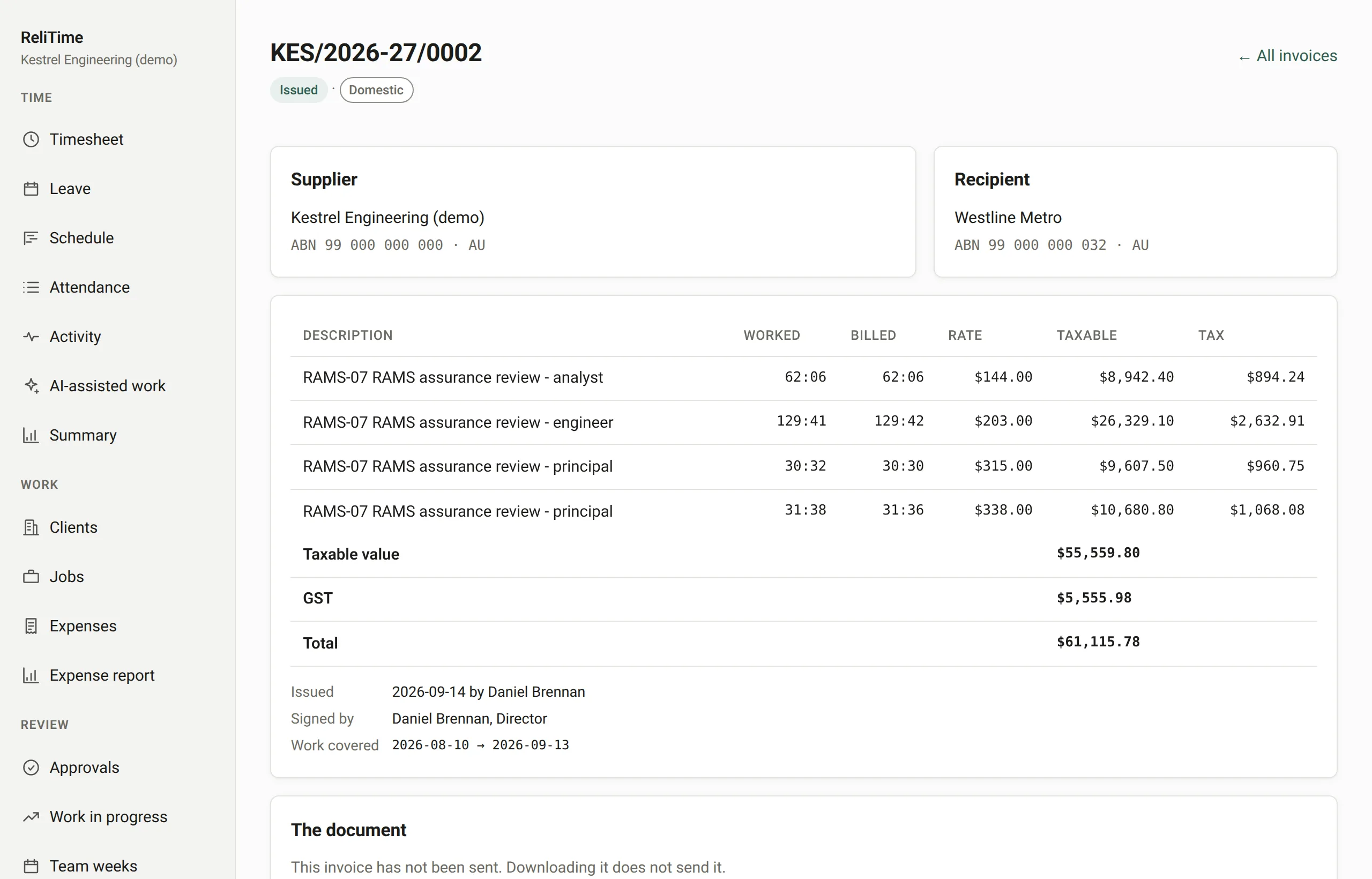
Each document says it is a tax invoice, with your name and ABN, the client's name and, for a client in Australia, their ABN too.
Numbers are given out when an invoice is issued, never when a draft is made, so an abandoned draft leaves no gap. The series starts again in July.
An issued invoice is drawn the same way every time it is opened: what it says was fixed when it was issued, and a later change to your settings does not reach it.
A cost paid on a client's behalf and recovered at what it cost is listed under its own heading as a disbursement paid as agent, with no GST on it. A cost recharged with a markup is your own supply and is taxed like the work.
When an invoice charged too much, a decreasing adjustment note gives it back, numbered in its own series (DAN). It cannot give back more than the invoice charged.
When an invoice charged too little, an increasing adjustment note adds the difference, numbered in its own series (IAN). The original invoice is never edited.
Invoices are drawn only from locked weeks, and an hour claimed by one invoice cannot be claimed by another. The database refuses it, not only the screen.
A panel lists each client with approved work waiting to be billed and the amount the invoice would come to, worked out the same way the invoice will be. A weekly email says the same.
An invoice is emailed as a PDF to the billing address on the client's record, and the invoice shows when it was last sent, so you can see which ones have gone out.
Payments are recorded against invoices, a reversal is a new entry rather than an edit, and the ledger shows what is outstanding by how overdue it is.
ReliTime does not send invoices as e-invoices over Peppol, does not run payroll, and does not file a GST return: it produces the invoices and the figures, and your accounting system does the rest. If any of that matters to you, tell us in the walkthrough.
We set ReliTime up with a walkthrough rather than a sign-up form. We will take you through a working organisation, from a week of timesheets through approvals and work in progress to a tax invoice, answer your questions as we go, and set up yours.
Or write to hello@relitime.com.