Seven steps, three people
Priya runs the office, Liam is an engineer and Emily approves the team's time. Nobody retypes anything along the way: each step reads what the one before it recorded.
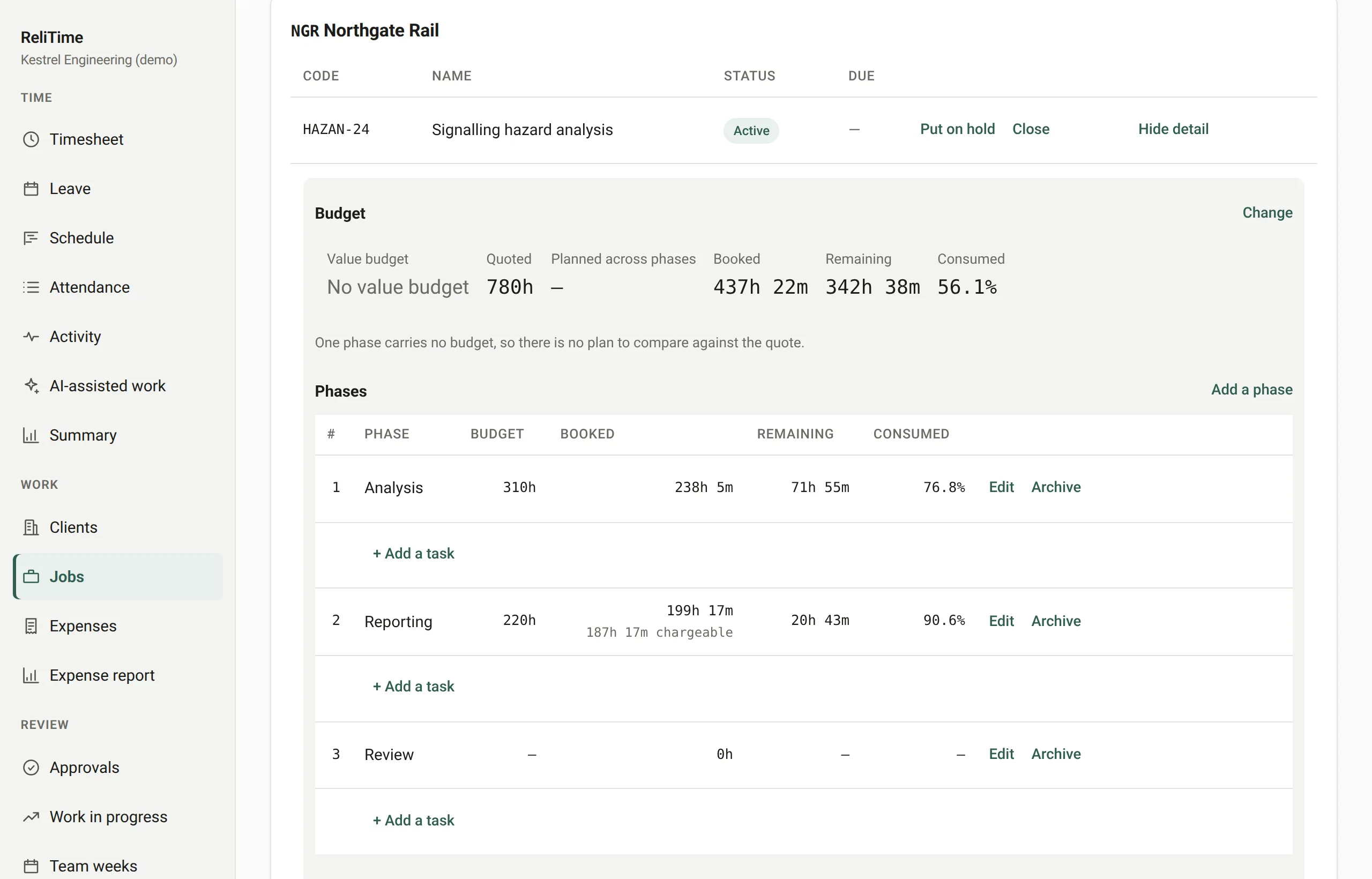
Step 1 of 7 · Priya, administrator
Priya sets up the job
She adds the client, then the job: its phases and tasks, and the hours it was quoted at. Liam is assigned to it, which is what lets him book time there.
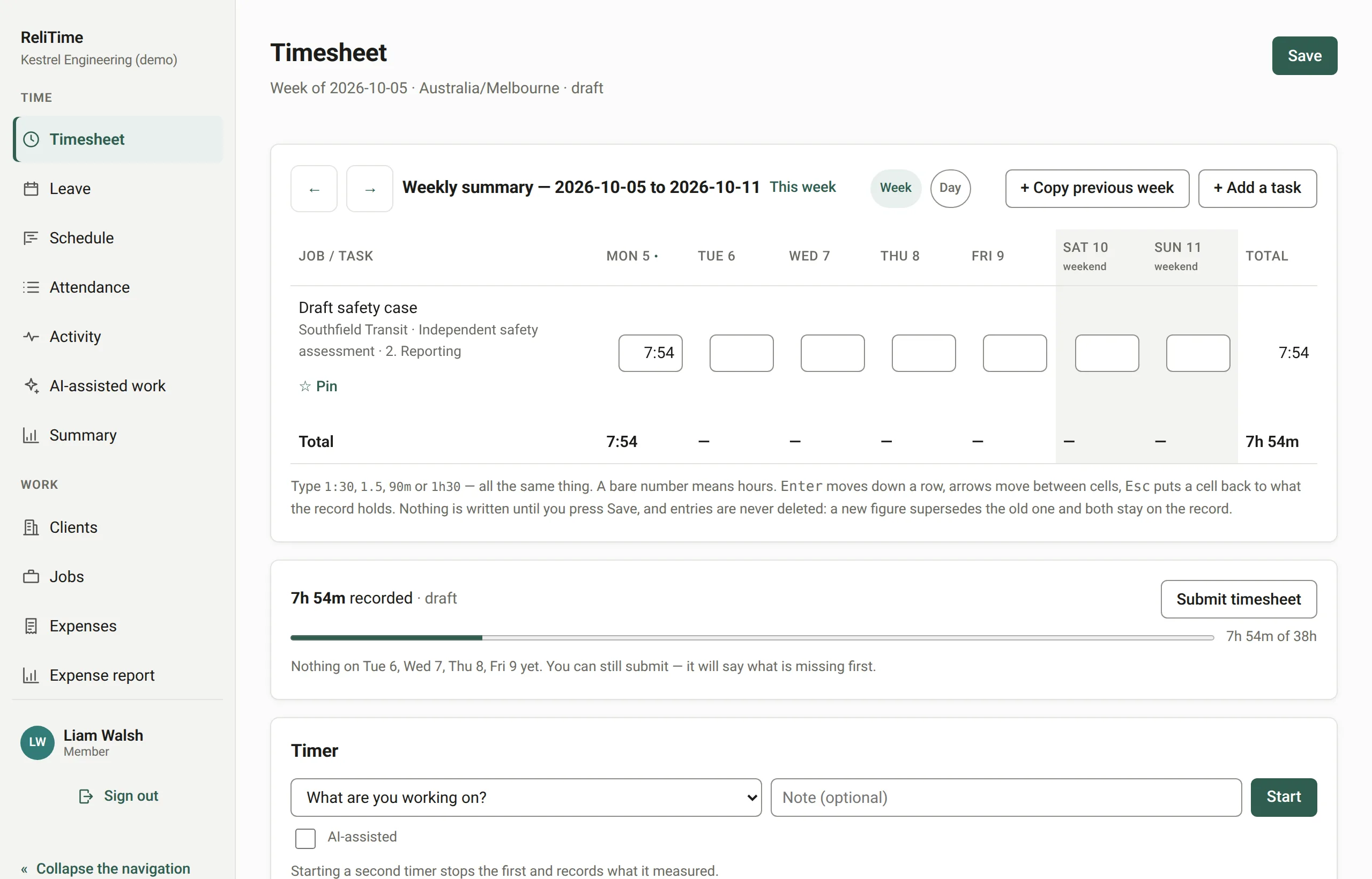
Step 2 of 7 · Liam, engineer
Liam fills in his week
He types or taps the hours for each task, day by day. Nothing reaches the record until he presses Save, so a slip corrected on the way never becomes a correction on the record. When the week is complete he submits it.
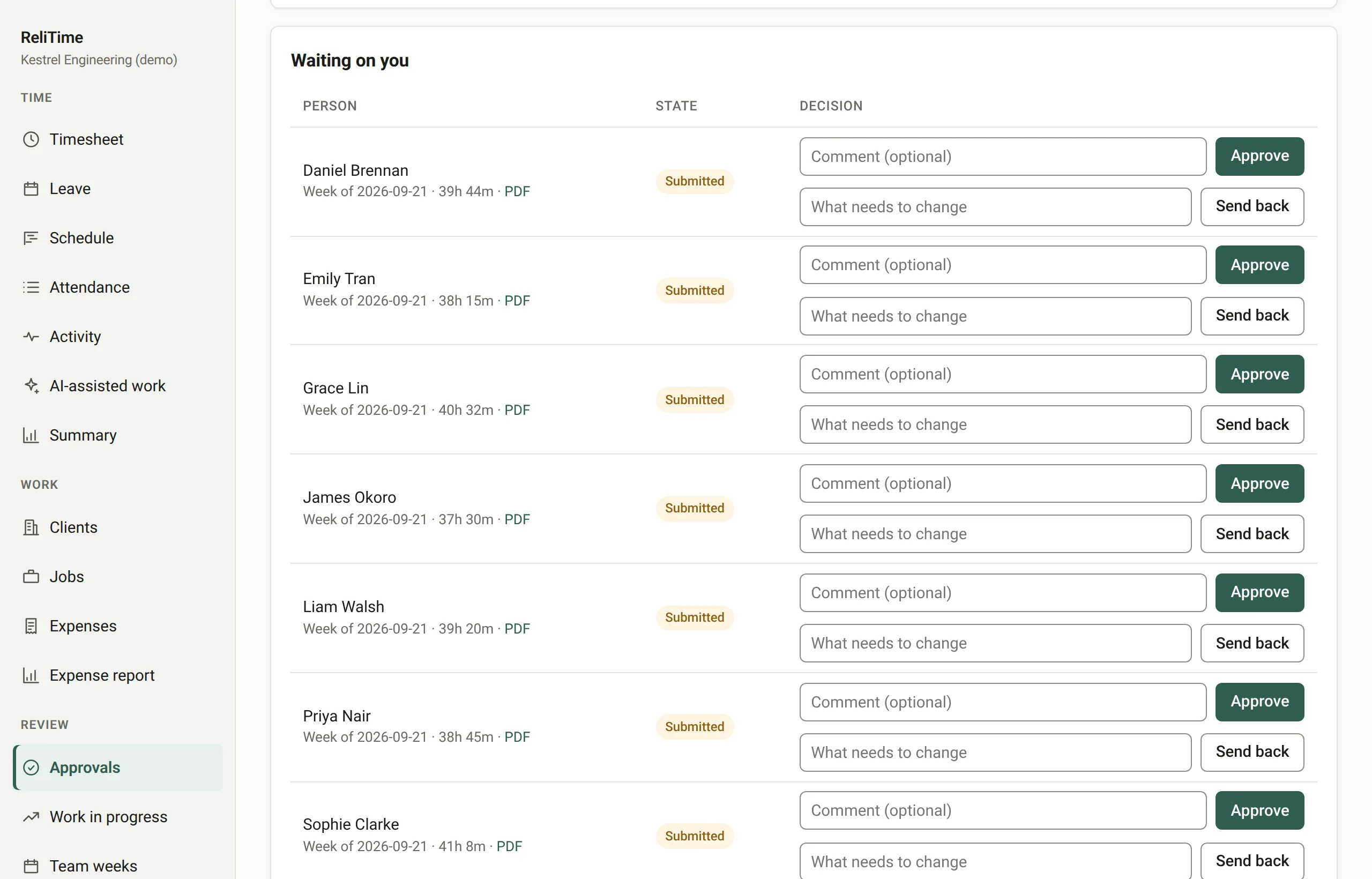
Step 3 of 7 · Emily, approver
Emily approves it
His week arrives in her queue with its hours. She approves it or sends it back with a reason, and once it is locked nothing in it can change: reopening it needs an authorisation countersigned by somebody else, and it can be used once.
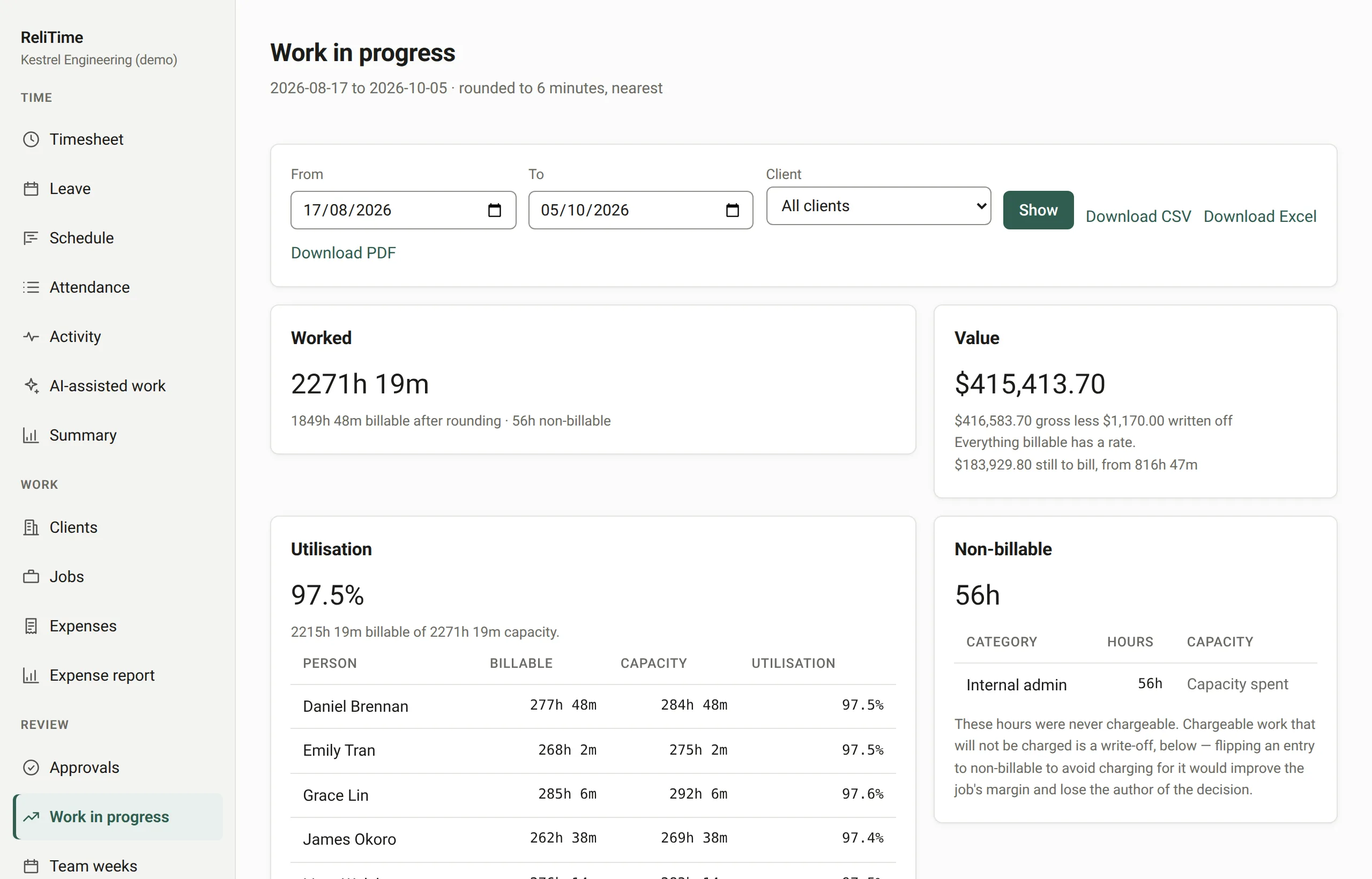
Step 4 of 7 · Emily, approver
The hours are priced
Work in progress prices every hour at the rate in force on the day it was worked. It shows what is billable and what is still to bill, and keeps work that was never chargeable apart from work that was written off.
Previous: Emily approves itNext: Priya sees what is ready to bill
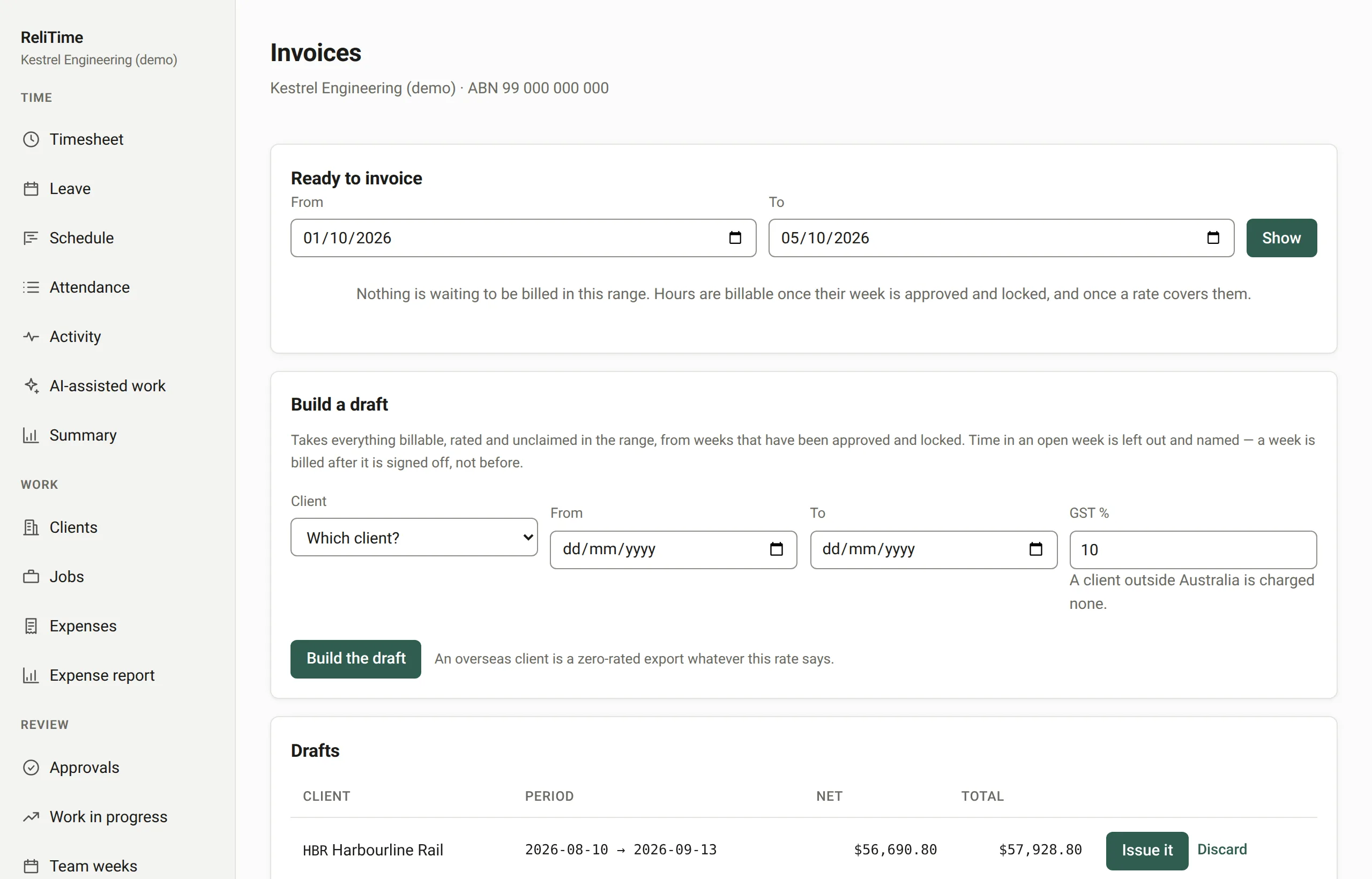
Step 5 of 7 · Priya, administrator
Priya sees what is ready to bill
A panel lists every client with approved, locked work waiting to be billed, and the amount the invoice would come to, worked out the same way the invoice will be. Weeks not yet signed off are named and left out.
Previous: The hours are pricedNext: She raises a tax invoice
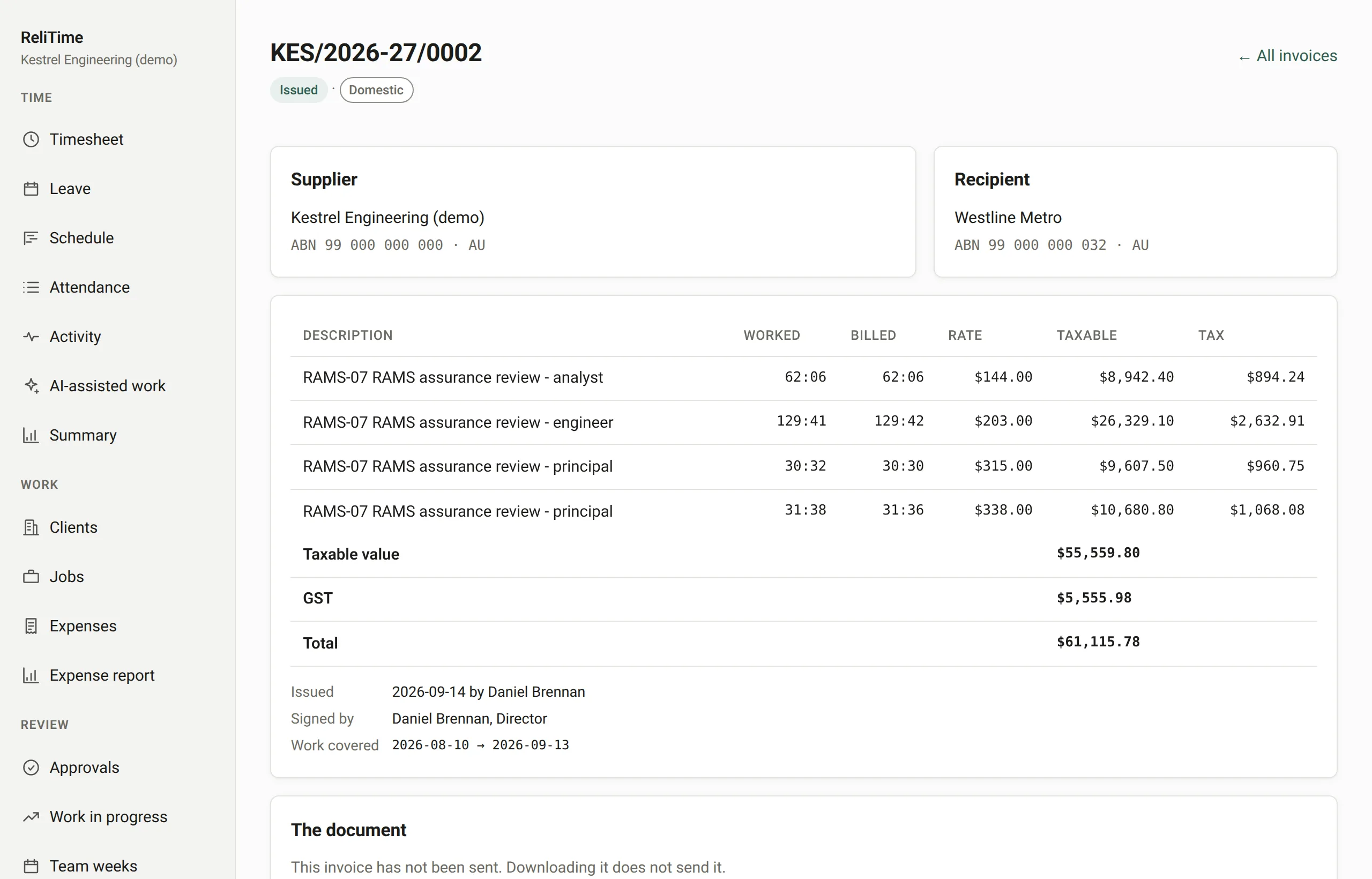
Step 6 of 7 · Priya, administrator
She raises a tax invoice
The draft is built from those locked hours. On issue it takes the next number in the series, GST is worked out from where the client is, with both ABNs on the face, and the PDF is emailed from the accounts address. A mistake afterwards is corrected by a credit or debit note, never by an edit.
Previous: Priya sees what is ready to billNext: The payment comes in
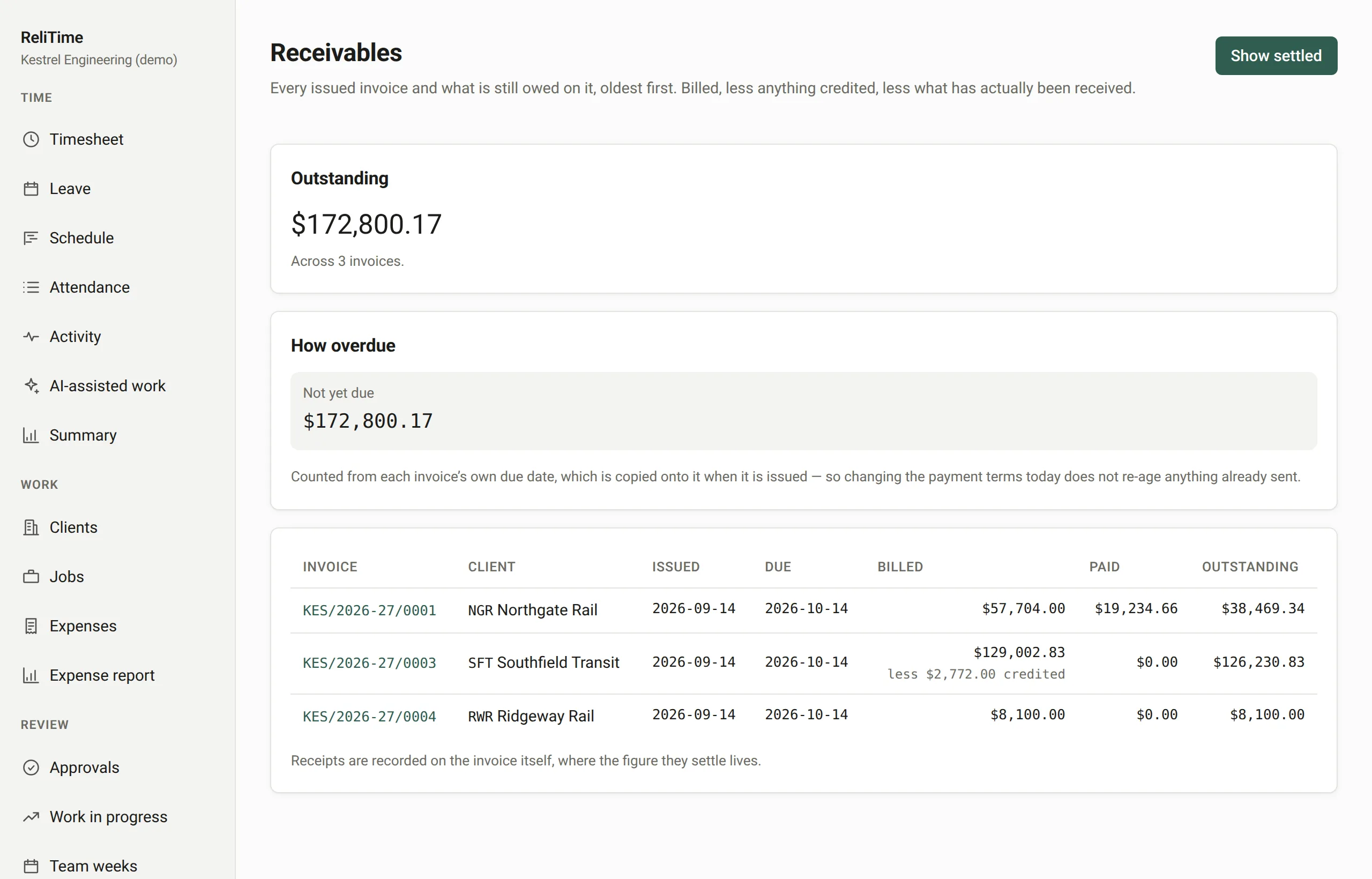
Step 7 of 7 · Priya, administrator
The payment comes in
The payment is recorded against the invoice. The receivables ledger shows what is still owed on every invoice and how overdue it is, and a reversal is a new entry rather than an edit.